How to withdraw LinkedIn connection requests and when you should
Hundreds of unanswered connection requests don’t just sit there. LinkedIn counts invitations left pending against you. Here is how to withdraw them, what the other person sees, and how to keep your pending list short from now on.
On desktop, click My Network, open your invitations with “Show all” or “Manage”, choose the Sent tab and click Withdraw next to the request. The other person isn’t notified. You can’t send that person a new invitation for up to 3 weeks, and LinkedIn doesn’t let you withdraw in bulk. Withdraw requests that have been pending for 2 to 3 weeks, because LinkedIn may restrict accounts with many invitations ignored or left pending. The best fix is fewer ignored requests: LinkedClient warms each person up with a profile visit and a like, so more people accept.
Key takeaways
- Path: My Network, Invitations, Sent, Withdraw.
- The other person isn’t notified.
- You can’t re-invite them for up to 3 weeks.
- No bulk withdraw: one request at a time.
- Withdraw requests pending 2 to 3 weeks.
How do you withdraw a LinkedIn connection request?
Click My Network
It is in the top menu on LinkedIn.
Open your invitations
Click “Show all” next to Invitations, or “Manage” if you have no pending invitations.
Choose the Sent tab
You see every connection request you have sent that is still pending.
Click Withdraw
Click Withdraw next to the request, then confirm.
Withdrawing also stops LinkedIn’s reminder emails to that person. A withdrawn invitation can’t be restored, so you’ll have to send a new one once the waiting period is over.
What happens when you withdraw a connection request?
| Question | Answer |
|---|---|
| Does the other person get notified? | No. |
| Can I invite them again? | Yes, after up to 3 weeks. |
| Can I withdraw many at once? | No. LinkedIn doesn’t offer bulk withdraw. |
| Does withdrawing lift a restriction? | No. If you are already restricted, withdrawing won’t remove it. It typically lasts a week. |
| Can I restore a withdrawn request? | No. You have to send a new invitation. |
When should you withdraw pending connection requests?
| Situation | What to do |
|---|---|
| A request has been pending for 2 to 3 weeks | Withdraw it. Old requests rarely get accepted. |
| You have more than a few hundred pending | Withdraw the oldest first, a batch every day. |
| You sent to the wrong person | Withdraw it right away. |
| You are already restricted | Wait out the restriction. Withdrawing won’t lift it. |
LinkedIn lists “many of your invitations have been ignored, left pending, or marked as spam” as a reason it restricts invitations, and can make you wait up to a month when too many invitations are outstanding. Read more on the connection request limit and the LinkedIn shadow ban and LinkedIn jail.
How do you keep pending requests low?
Send to people who fit
Relevant requests get accepted instead of left pending.
Warm people up first
A profile visit and a like before the request make your name familiar.
Keep a steady pace
A steady daily number beats bursts.
How does LinkedClient keep your pending list short?
People who fit
Elsie writes to people who match your ideal customer, so more of them accept.
Visit and like first
Each person gets a profile visit and a like before the request.
A daily limit you set
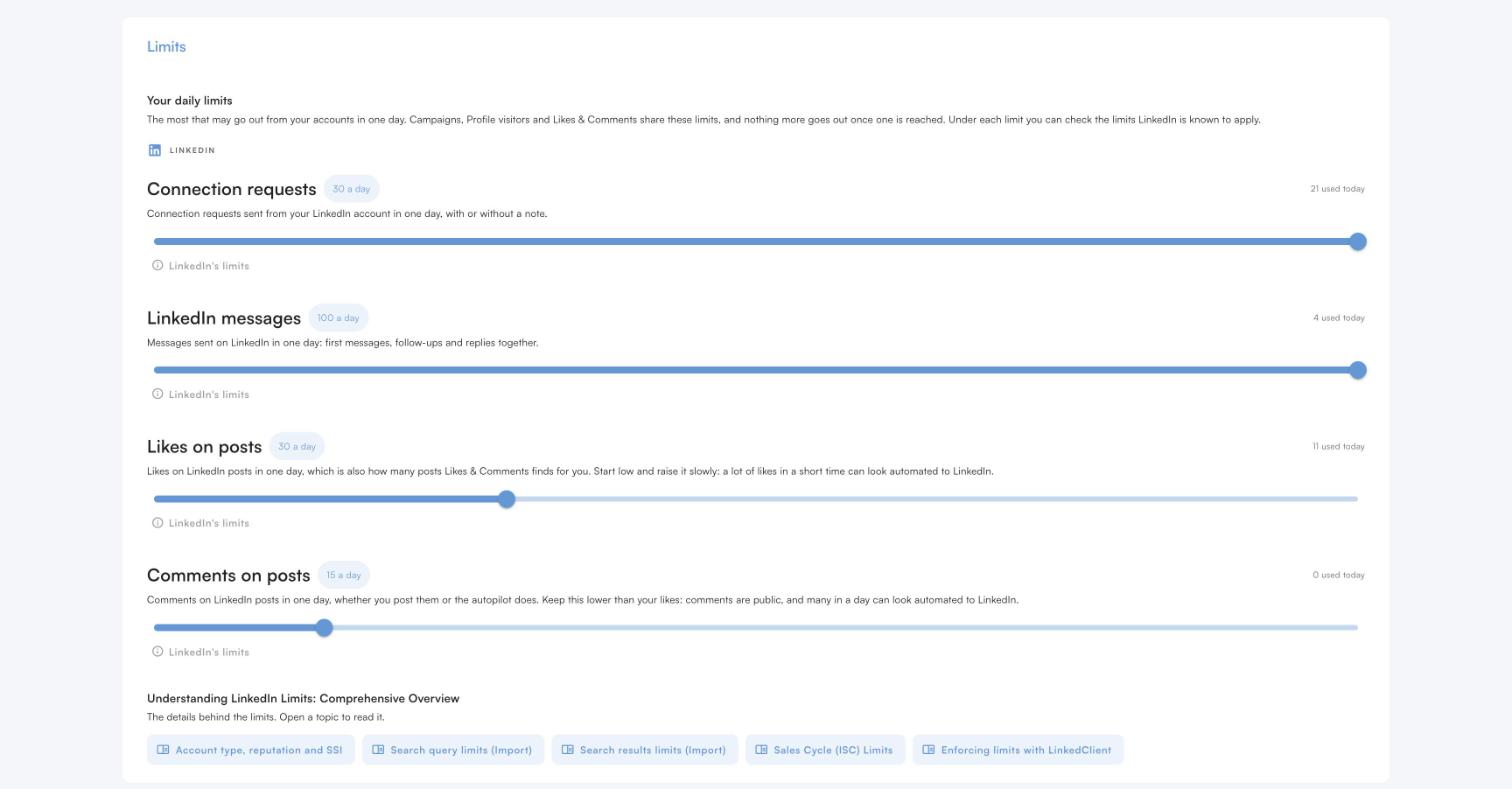
Connection requests have their own daily limit, up to 30, and Elsie never goes over it.
Welcome on accept
When someone accepts, Elsie sends your welcome message and keeps the conversation going.
Get more requests accepted, fewer left pending
Try it free for 14 days, no card needed, or book a 30-minute demo and we’ll show you who Elsie would contact for your business.
What results do LinkedClient customers get?
These results cover all of LinkedClient. Connection requests are one part of it.

“We can pinpoint the people we want to contact and actually get meetings with them automatically.”
Keep reading
Connection request limits
How many requests you can send per week and month.
Read the guideAcceptance rate
What a good rate is and how to raise yours.
Read the guideLinkedIn shadow ban
Reduced reach, LinkedIn jail and how to avoid both.
Read the guideAutomate connection requests
The warm-up sequence that gets more people to accept.
Read the guideQuestions about withdrawing LinkedIn connection requests
Can’t find your answer? Ask a real person.
Book a 30-min demoHow do I withdraw a connection request on LinkedIn?
Click My Network, open your invitations with “Show all” or “Manage”, go to the Sent tab and click Withdraw next to the request.
Does LinkedIn notify someone when you withdraw a connection request?
No. The recipient isn’t notified when you withdraw an invitation.
How long before I can send a new request to the same person?
Up to 3 weeks after you withdraw.
Can I withdraw all pending LinkedIn invitations at once?
No. LinkedIn doesn’t offer bulk withdraw, so you have to withdraw them one at a time.
Should I withdraw old pending connection requests?
Yes, after 2 to 3 weeks. LinkedIn may restrict accounts with many invitations ignored or left pending.
Does withdrawing invitations remove a LinkedIn restriction?
No. LinkedIn says withdrawing pending invitations won’t remove a restriction, which typically lasts one week.
How does LinkedClient reduce pending connection requests?
Elsie writes to people who fit and warms each one up with a profile visit and a like before the request, so more people accept and fewer requests sit pending.
Want fewer requests left pending in the first place?
Start your free 14-day trial and Elsie can start this week. Or book a 30-minute demo and we’ll show you who she would contact for your business.
14 days free · No card needed · Human onboarding included