LinkedIn SSI score in 2026: what happened and what to track instead
For years the Social Selling Index was the number every LinkedIn seller watched. Now many people open it and see “Your access to the Social Selling Index has been discontinued.” Here is what SSI measured, what LinkedIn now says about it, and the four numbers that actually show if LinkedIn is working for you.
The Social Selling Index (SSI) is LinkedIn’s score from 0 to 100, built from four areas: establishing a professional brand, finding the right prospects, engaging with insights and building relationships. In 2026 many users who open linkedin.com/sales/ssi see a message that their access has been discontinued, and LinkedIn’s own SSI page now says the score “no longer accurately reflects the modern sales environment”. Instead, track four numbers: your connection acceptance rate, your reply rate, profile views from people you want to sell to, and meetings booked. LinkedClient’s Statistics page shows your acceptance rate, response rate and meetings booked in one place.
Key takeaways
- SSI: a 0 to 100 score across four areas.
- Many accounts have lost access to SSI in 2026.
- LinkedIn now says SSI no longer reflects modern selling.
- Track instead: acceptance rate, reply rate, buyer profile views, meetings.
- Activity is easy to fake. Meetings are not.
What are the four parts of the LinkedIn SSI score?
| SSI area | What it measured | What to do now |
|---|---|---|
| Establish your professional brand | A complete profile and content people engage with | Keep a clear headline and post once or twice a week |
| Find the right people | Searching for and viewing the right prospects | Describe your ideal customer and visit their profiles |
| Engage with insights | Sharing and commenting on relevant content | Like and comment on your prospects’ posts |
| Build relationships | Connecting with and messaging decision makers | Send requests and messages to people who fit |
When LinkedIn introduced the score, each of the four areas was scored from 0 to 25, for a maximum of 100. LinkedIn reported in 2015 that sellers with a high SSI had 45% more opportunities per quarter. Its current SSI page is more careful, saying the score doesn’t always correlate with measurable sales outcomes.
Why can’t I see my LinkedIn SSI score anymore?
If you open linkedin.com/sales/ssi in 2026, you may see: “You do not have access to SSI. Your access to the Social Selling Index (SSI) has been discontinued.” Reports suggest the score is now tied to Sales Navigator, though LinkedIn hasn’t published a help article explaining the change.
LinkedIn’s own SSI page now says the score “no longer accurately reflects the modern sales environment”. In other words, even LinkedIn no longer treats SSI as the number to chase. Weighing up Sales Navigator? Read Sales Navigator vs LinkedIn Premium.
What should you track instead of your SSI score?
| Metric | How to measure it | What good looks like |
|---|---|---|
| Acceptance rate | Accepted requests ÷ sent requests | 30 to 45 percent. See the benchmarks |
| Reply rate | People who replied ÷ people you messaged | Rising month over month |
| Profile views from buyers | Viewers who match your ideal customer | Growing every week. See how to get more |
| Meetings booked | Meetings that came from LinkedIn | The number that pays the bills |
SSI rewarded activity. These four numbers reward results. If they go up, your LinkedIn is working, whatever any score says.
How do you improve your LinkedIn results without SSI?
Fix your profile
A headline that says who you help and a photo that looks like you.
Write to people who fit
Fewer, better requests raise your acceptance rate.
Engage before you pitch
Like and comment on prospects’ posts so they know your name. See how to get more likes.
Follow up every signal
Profile views and accepted requests are warm leads. Write within a day or two.
Count meetings, not activity
Review acceptance, replies and meetings every month.
How does LinkedClient track the numbers that matter?
Acceptance and reply rates
See your acceptance rate and response rate for LinkedIn in one view.
Meetings booked
Every meeting Elsie books is counted, alongside your pipeline by stage.
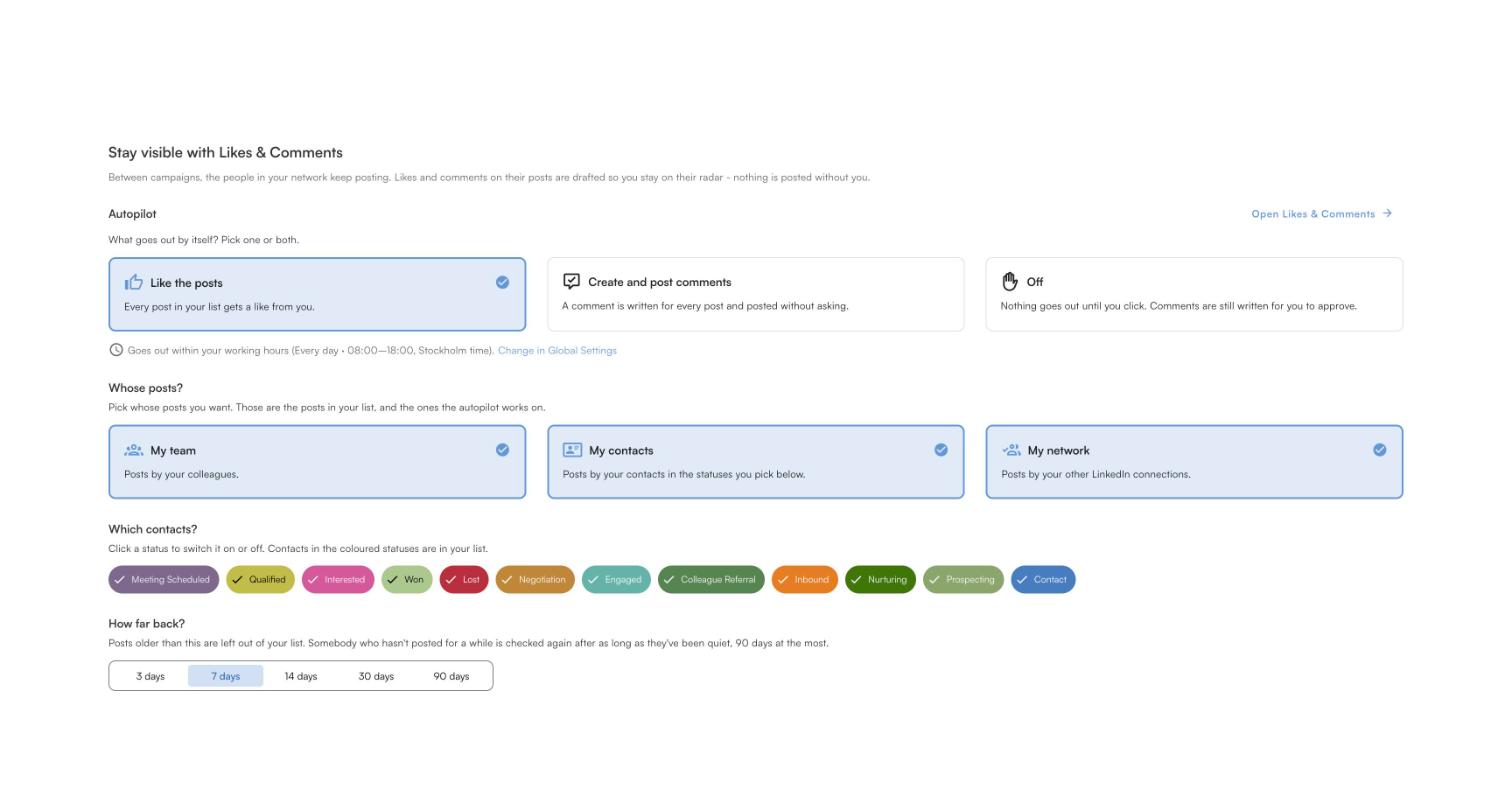
Likes and comments on autopilot
Elsie likes and comments on your prospects’ posts within your daily limits.
Every signal followed up
Profile visitors and new connections get a message written for them.
Track meetings, not a score
Try it free for 14 days, no card needed, or book a 30-minute demo and we’ll show you the numbers LinkedClient tracks for you.
What results do LinkedClient customers get?
These results cover all of LinkedClient. Measuring LinkedIn results is one part of it.
“We can pinpoint the people we want to contact and actually get meetings with them automatically.”
Keep reading
Acceptance rate
What a good rate is and how to raise yours.
Read the guideGet more profile views
Views from the people you want to sell to.
Read the guideGet more likes
Eight ways to get more likes on your posts.
Read the guideWho viewed your post
What post analytics show, and what only Premium shows.
Read the guideQuestions about the LinkedIn SSI score
Can’t find your answer? Ask a real person.
Book a 30-min demoWhat is the LinkedIn SSI score?
The Social Selling Index is LinkedIn’s score from 0 to 100, based on four areas: your professional brand, finding the right people, engaging with insights and building relationships.
Why can’t I see my LinkedIn SSI score?
In 2026 many users see a message that their access to SSI has been discontinued. Reports suggest it is now tied to Sales Navigator, though LinkedIn hasn’t published a help article on the change.
What is a good LinkedIn SSI score?
Many sellers used to aim for 70 or more. LinkedIn now says SSI no longer accurately reflects the modern sales environment, so focus on acceptance rate, reply rate and meetings booked.
How was the SSI score calculated?
Each of the four areas was scored from 0 to 25, for a maximum of 100.
What should I track instead of SSI?
Your connection acceptance rate, reply rate, profile views from people you want to sell to, and meetings booked.
How does LinkedClient help measure LinkedIn results?
LinkedClient’s Statistics page shows your LinkedIn acceptance rate, response rate and meetings booked, so you can see what is working.
Want numbers that show if LinkedIn is working?
Start your free 14-day trial and Elsie can start this week. Or book a 30-minute demo and we’ll show you who she would contact for your business.
14 days free · No card needed · Human onboarding included