Sales follow-up: how often to follow up and what to write, with templates
Most deals aren’t lost to a no. They’re lost to silence. A good follow-up is short, adds something new and makes it easy to answer. Here is how often to follow up in each situation, eight templates you can adapt and how to follow up without being pushy.
Follow up two to four times after a first message with no reply, a few days apart, and the same day after a call or demo. Every follow-up should add something new, such as an idea, an example or an easy question, and make replying easy. When a prospect says “not now”, follow up when they suggested, or after two to three months. Stop when they say no. Speed matters as much as persistence: answer interested replies within minutes, not days. LinkedClient follows up for you: Elsie writes each follow-up for that person on LinkedIn and email and answers replies within five minutes on autopilot. You can try it free for 14 days, no card needed, and your first month after the trial is $79.
Key takeaways
- Two to four follow-ups after no reply.
- Same day after a call or demo.
- Add something new every time.
- Answer interested replies within minutes.
- Stop when they say no, not when you get bored.
How often should you follow up with a prospect?
| Situation | When to follow up | How many times |
|---|---|---|
| No reply to a first message | After 3 to 4 days | 2 to 4 |
| After a call or demo | The same day | Until the next step is agreed |
| After sending a proposal | After 2 to 3 days | 2 to 3 |
| They said “not now” | When they suggested, or in 2 to 3 months | Every quarter, with something new |
| Went quiet in the middle of a deal | After a week | 2, then a polite close |
What should a follow-up message say?
1. No reply, add value: “Hi Anna, one thought on what I sent: teams like yours often start with one region first. Happy to share how that worked for a similar company.”
2. No reply, easy question: “Hi Anna, is improving this a priority this quarter, or should I check back later?”
3. After a call: “Thanks for today, Jonas. As agreed: I’ll send the proposal by Thursday, and you’ll check timing with your CFO. Does Friday at 10 work to go through it?”
4. After a proposal: “Hi Jonas, any questions on the proposal? I can walk your CFO through it in 15 minutes if that helps.”
5. They said not now: “Hi Maria, you mentioned looking at this again after the summer. Is it still on your list?”
6. New reason: “Hi Maria, saw you’re hiring two salespeople. That’s usually when this becomes urgent. Worth a quick chat?”
7. LinkedIn follow-up: “Thanks for connecting, Erik. Curious how you handle new business today. Mostly referrals, or outbound too?”
8. Polite close: “Hi Erik, I’ll stop here so I don’t clutter your inbox. If it becomes relevant, just reply to this message.”
How do you follow up without being pushy?
BAMFAM, short for “book a meeting from a meeting”: end every call with the next meeting in the calendar, so there’s nothing to chase.
For prospects who asked you to come back later, see how to follow up a “not now”. For timing across channels, see sales cadence.
- Keep each follow-up shorter than the first message.
- Add something new every time, never just “checking in”.
- Make replying easy: a yes or no question beats an open one.
- Change channel when one goes quiet.
- End with a polite close instead of disappearing.
Why does follow-up speed matter?
Speed matters. In a Harvard Business Review study of how companies respond to online leads, firms that tried to contact a potential customer within an hour were nearly seven times as likely to qualify the lead as those that waited even an hour longer.
The same applies when a prospect replies to your outreach: the conversation is warmest in the first minutes. That’s why speed to lead is one of the easiest ways to book more meetings.
How does LinkedClient follow up for you?
Most deals are lost to silence, not to a no. LinkedClient makes sure nobody is forgotten: Elsie follows up every prospect on LinkedIn and email, writes each follow-up for that person and answers replies within five minutes, so interest never waits for you to have time.
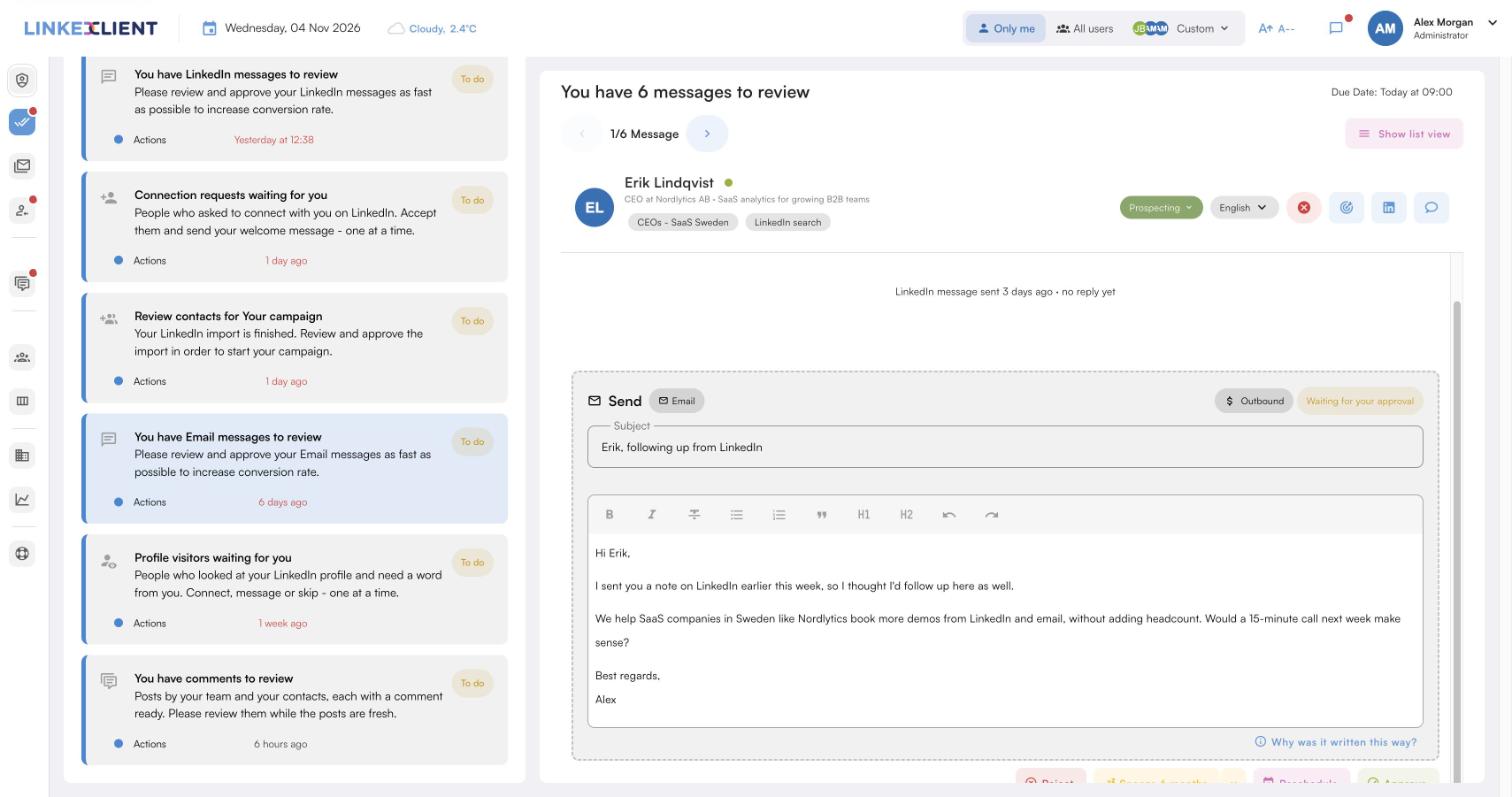
Nobody forgotten
Elsie follows up every prospect on LinkedIn and email until they reply.
Written for each person
Each follow-up is written for that person, not copied from a template.
Replies in five minutes
On autopilot, Elsie answers interested replies within five minutes.
Meetings in your calendar
Elsie agrees a time in the conversation and books it, with no calendar link.
| LinkedClient | At a glance |
|---|---|
| What it is | An AI sales assistant. Elsie finds leads, writes to them on LinkedIn and email, answers replies and books meetings. |
| Free trial | 14 days, no card needed. Then $79 for your first month. |
| Price after that | Starter $149 per user per month, or $129 billed annually. Professional (2+ users) $299, or $249 billed annually. All 109 features in every plan. |
| Works on | LinkedIn Basic, Premium, Sales Navigator and Recruiter |
| Meetings | Booked in the conversation, without calendar links, in Google or Microsoft calendars |
| Connects to | HubSpot, Pipedrive, Salesforce, Zapier, webhooks and a public API |
| Compliance | GDPR and EU AI Act compliant |
| Setup | Live in about 15 minutes, with onboarding from a real person |
Never lose a deal to silence again
Try it free for 14 days, no card needed, then just $79 for your first month. Or book a 30-minute demo and we’ll show you who Elsie would contact for your business.
What results do LinkedClient customers get?
These results cover all of LinkedClient. Following up every lead is one part of it.
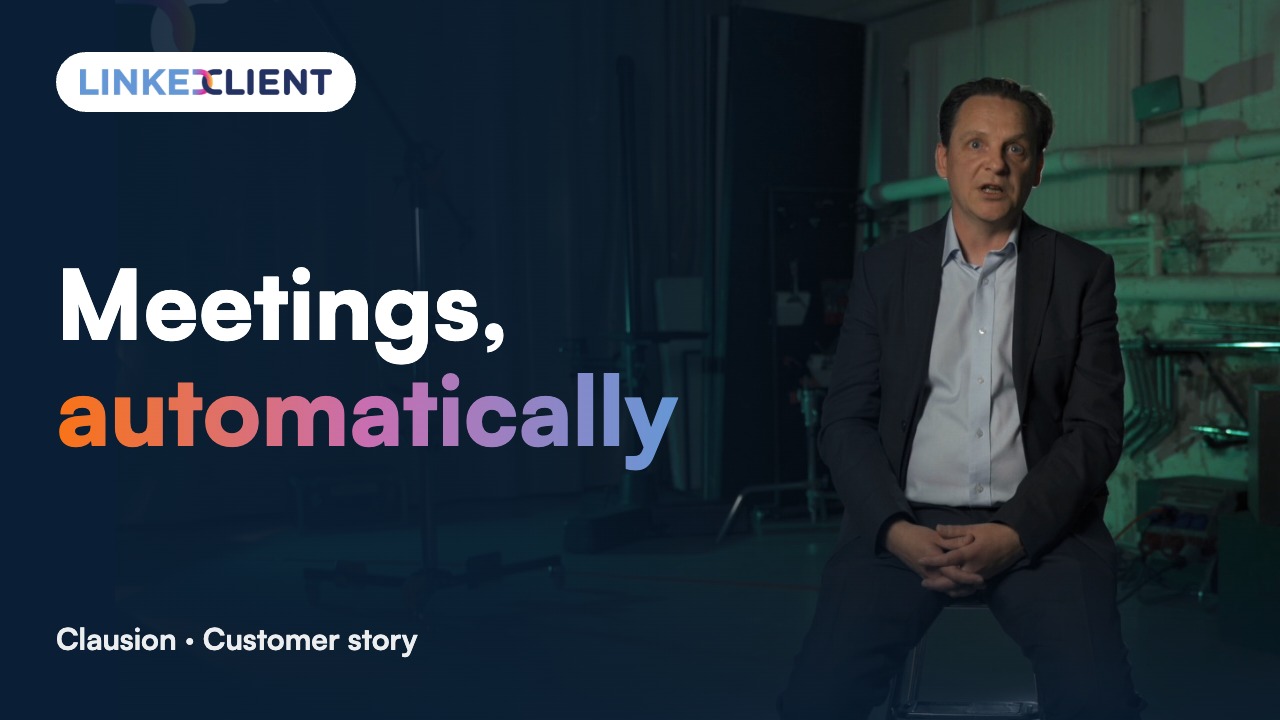
“We can pinpoint the people we want to contact and actually get meetings with them automatically.”
Keep reading
How many times should you follow up with a prospect?
Two to four times after a first message with no reply, a few days apart. After a call, follow up the same day and keep going until a next step is agreed.
How long should you wait before following up?
Three to four days after a first message, the same day after a call, and two to three days after a proposal.
What do you write in a follow-up email after no response?
Something new: an idea, an example or an easy yes or no question. Keep it shorter than the first email.
Is it pushy to follow up?
Not if each follow-up is short, relevant and adds something. Ending with a polite close shows respect for their time.
Should you follow up on LinkedIn or email?
Both. If a LinkedIn message gets no reply, a short email often does, and the other way round.
When should you stop following up?
When they say no, ask you to stop, or don’t answer a polite close. Move them to occasional nurturing instead.
What is BAMFAM in sales?
Book a meeting from a meeting: ending every call by agreeing and booking the next step, so you don’t need to chase.
What subject line should a follow-up email use?
Short and specific, such as the topic of your last conversation or the next step, for example “Proposal for Thursday” or “Your question about onboarding”.
How does LinkedClient follow up?
Elsie follows up each prospect on LinkedIn and email with a message written for that person, at the spacing you set, and answers replies within five minutes on autopilot. Try it free for 14 days, then pay $79 for your first month.
Want every prospect followed up, every time?
Start your free 14-day trial today and Elsie can start this week. If you keep going, your first month is just $79. Or book a 30-minute demo and we’ll show you who she would contact for your business.
14 days free · No card needed · $79 for your first month