LinkedIn automation for agencies: book meetings for every client, under your brand or ours
Running LinkedIn outreach for clients is mostly hours: writing, following up, answering replies and chasing meeting times. LinkedClient does that work for every client, so your agency sells booked meetings, under your own brand if you want.
The best LinkedIn automation tool for an agency is one that delivers what clients pay for: meetings. Many tools send connection requests and sequences, then leave replies and booking to your team. LinkedClient’s AI sales assistant, Elsie, also answers replies and agrees meeting times in the conversation, on LinkedIn and email, for each client account. Agencies can use it under LinkedClient’s brand or sell it as their own with white label. You can try it free for 14 days, no card needed, and your first month after the trial is $79.
Key takeaways
- Clients pay for meetings, so automate replies and booking, not just sending.
- Each client has its own LinkedIn profile and LinkedClient account.
- Works on any LinkedIn plan, in 150+ languages.
- White label lets you sell it under your own name, domain and price.
- Compare tools on cost per meeting, not price per seat.
What should agencies automate on LinkedIn?
| Step | Many LinkedIn tools | LinkedClient |
|---|---|---|
| Find the right people | Import a search or list | Import a search or list, or describe who you want in one sentence |
| Write the first message | Templates with personalization fields | Elsie researches each person and writes a personal message |
| Follow up | A fixed sequence | Follow-ups on LinkedIn and email, on the right channel |
| Answer replies | Your team answers | Elsie answers within minutes and handles common objections |
| Book the meeting | Your team sends a calendar link | Elsie agrees a time in the conversation and books it |
| Report to the client | Export activity numbers | Meetings and pipeline in a CRM that updates itself |
See how other tools compare in the best LinkedIn automation tools.
How can an agency use LinkedClient?
Run outreach for clients
Use LinkedClient to run LinkedIn and email outreach for each client, and charge for the meetings or a monthly retainer.
White label
Sell the platform as your own product, with your name, logo, domain and price. Your clients log in to your software.
Done for you
LinkedClient’s team runs the campaigns and books the meetings into the client’s calendar.
Read how white label works, what white label LinkedIn automation includes, or how the done-for-you service works.
What does LinkedIn automation cost for a small agency?
For an agency running 3 to 5 LinkedIn profiles, the cheapest tools cost from about $15 to $100 per profile a month, as listed on their pricing pages on 20 November 2026, but your team still writes, answers and books by hand. LinkedClient costs more per seat, $249 per user a month on the yearly Professional plan, because Elsie also handles the replies and the booking.
- Count hours, not seats. If your team spends an hour a day per client on replies and scheduling, that time costs more than the software.
- Compare cost per meeting. Divide what you pay, including your team’s time, by the meetings booked.
- White label changes the math. You set your clients’ price and pay a monthly fee per active licence.
How do you start outreach for a new client?
Connect the client’s LinkedIn
Connect the client’s LinkedIn account. It works with Basic, Premium, Sales Navigator and Recruiter.
Describe the audience
Describe who the client wants to reach in one sentence, or import a Sales Navigator search.
Review and launch
Check the leads and the messages Elsie wrote, then start the campaign or turn on autopilot.
From then on, Elsie answers replies and books meetings straight into the client’s calendar.
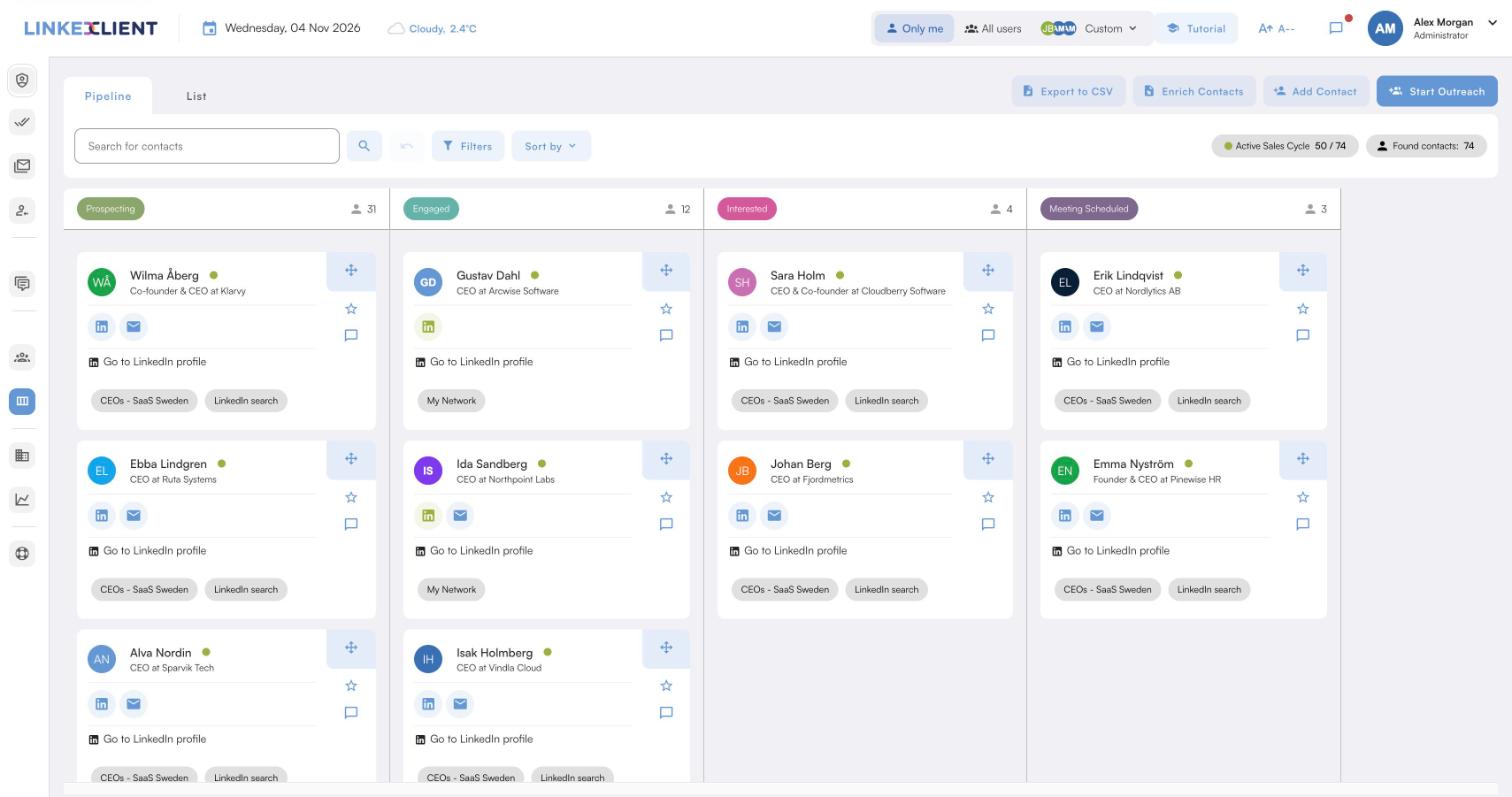
How does LinkedClient keep every client’s pipeline current?
Every lead moves to the right stage as the conversation goes, so you can show each client what’s booked and what’s coming.
Leads from one sentence
Describe who you want to reach, or import a LinkedIn, Sales Navigator or Recruiter search.
Personal messages
Elsie researches each person and company and writes connection requests, messages and emails.
Answers in five minutes
On autopilot Elsie answers replies within five minutes and handles common objections.
Meetings in your calendar
Elsie agrees a time in the conversation and books it, with no calendar link.
| LinkedClient | At a glance |
|---|---|
| What it is | An AI sales assistant. Elsie finds leads, writes to them on LinkedIn and email, answers replies and books meetings. |
| Free trial | 14 days, no card needed. Then $79 for your first month. |
| Price after that | Starter $149 per user per month, or $129 billed annually. Professional (2+ users) $299, or $249 billed annually. All 109 features in every plan. |
| Works on | LinkedIn Basic, Premium, Sales Navigator and Recruiter |
| Meetings | Booked in the conversation, without calendar links, in Google or Microsoft calendars |
| Connects to | HubSpot, Pipedrive, Salesforce, Zapier, webhooks and a public API |
| Compliance | GDPR and EU AI Act compliant |
| Setup | Live in about 15 minutes, with onboarding from a real person |
Try it on your own agency first
Try it free for 14 days, no card needed, then just $79 for your first month. Or book a 30-minute demo and we’ll show you who Elsie would contact for your business.
What results do LinkedClient customers get?
These results come from teams that use LinkedClient to book their sales meetings.
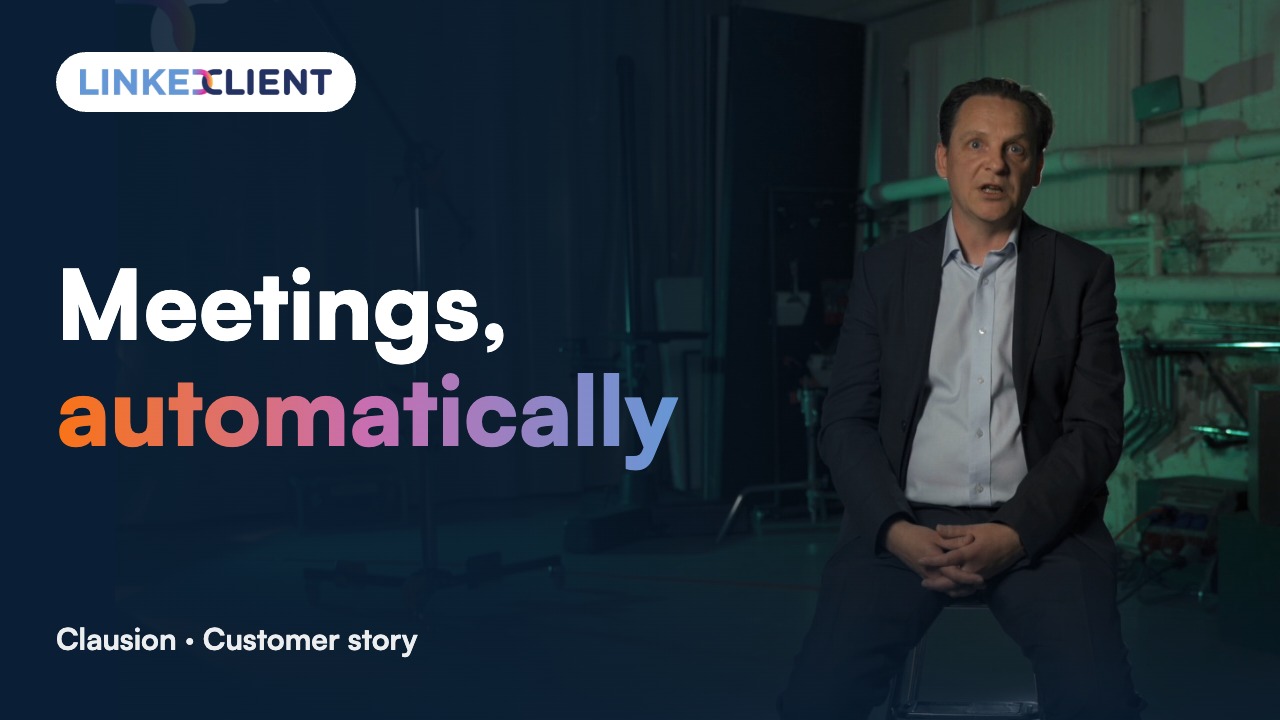
“We can pinpoint the people we want to contact and actually get meetings with them automatically.”
Keep reading
Questions about LinkedIn automation for agencies
Can’t find your answer? Ask a real person.
Book a 30-min demoWhat is the best LinkedIn automation tool for agencies?
It depends on what you sell. If you sell sending volume across many profiles, a sequence tool built for many senders may be enough. If you sell booked meetings, choose a tool that also answers replies and books meetings, like LinkedClient, so your team doesn’t do it by hand.
Can I manage several client accounts?
Yes. Each client has its own LinkedIn profile connected to LinkedClient, with its own campaigns, leads and calendar. With white label, your clients log in to your own branded software.
Is LinkedIn automation safe for client accounts?
LinkedClient works within the daily limits and working hours you set for each account, and it works on every LinkedIn plan.
Can I sell LinkedClient under my agency’s brand?
Yes. With white label, your clients see your name, logo, domain and emails, and you set the price. You pay LinkedClient a monthly fee per active licence.
Does it work with Sales Navigator?
Yes. It works with LinkedIn Basic, Premium, Sales Navigator and Recruiter, and you can import Sales Navigator searches and lead lists.
Which languages can it write in?
Elsie writes in 150+ languages, so you can run campaigns for clients in different countries.
How much does LinkedClient cost for an agency?
Professional, for 2 or more users, is $299 per user a month, or $249 when you pay yearly. White label is priced on request. Try LinkedClient free for 14 days with no card, then pay $79 for your first month.
Book more meetings for every client
Start your free 14-day trial today and Elsie can start this week. If you keep going, your first month is just $79. Or book a 30-minute demo and we’ll show you who she would contact for your business.
14 days free · No card needed · $79 for your first month