How to build a B2B lead list: sources, fields and keeping it clean
A good lead list is short, specific and accurate. A bad one is long, generic and full of people who left their jobs last year. Here is how to build a B2B lead list step by step, which fields to include, whether to buy one, and how to keep it clean.
To build a B2B lead list, start from your ideal customer profile, then use LinkedIn search or Sales Navigator to find people by job title, industry, company size and region. Add contact details with an enrichment tool, note a reason to contact each person, and remove anyone who doesn’t fit. Building your own list is usually better than buying one: it’s more accurate, more relevant and easier to keep GDPR compliant. LinkedClient builds the list for you: describe who you want to reach or import a LinkedIn, Sales Navigator or Recruiter search, and Elsie enriches and contacts each person. You can try it free for 14 days, no card needed, and your first month after the trial is $79.
Key takeaways
- Start from your ideal customer profile.
- LinkedIn is the most up-to-date source of who works where.
- Note a reason to contact each person, not just a name.
- Building beats buying for accuracy and GDPR.
- Clean the list before every campaign.
How do you build a B2B lead list step by step?
Write your ideal customer profile
Industry, company size, region and the job titles that buy. Base it on your best customers.
Search LinkedIn or Sales Navigator
Filter by title, industry, company size and location, and save the search.
Check that each company fits
A quick look at the website removes companies that only look right on paper.
Add contact details
Use an enrichment tool to find work emails, and phone numbers if you call.
Note a reason to reach out
A recent post, new role, hiring or news. It becomes your first line.
Remove duplicates and customers
Take out existing customers, open deals and anyone who has opted out.
LinkedIn says it has more than 1 billion members in over 200 countries and regions, which is why most B2B prospecting starts there.
Sources: LinkedIn: About LinkedIn.
Which fields should a B2B lead list template include?
| Field | Why |
|---|---|
| Name and job title | To write to the right person |
| Company, industry and size | To check fit and split the list into segments |
| LinkedIn profile URL | To connect and to research |
| Work email | For email outreach |
| Phone (optional) | For calls |
| Location and language | To write in the right language at the right time |
| Signal or reason | The hook for your first message |
| Source and date | For GDPR, and to know how fresh the data is |
Should you buy a B2B lead list or build your own?
| Compared | Build your own | Buy a list |
|---|---|---|
| Accuracy | High: you check each lead | Varies: people change jobs |
| Relevance | Exactly your ideal customer | Often broader than you need |
| Cost | Your time, or a tool | Price per contact or a subscription |
| GDPR | You know where each lead came from | You must check the seller’s basis and inform people |
| Speed | Slower to start | Fast |
If you do buy data, buy it for a narrow segment, check it against LinkedIn before you use it, and read our take on buying leads vs building your own.
How do you keep a lead list clean and compliant?
Under GDPR, Article 14 sets out what you must tell people when you collect their data from somewhere other than them, including the source. How LinkedClient handles data is on our GDPR page.
Finding emails? See how to find someone’s business email. Thinking of buying data? See buying B2B leads.
- Re-check job titles before each campaign.
- Verify email addresses before you send.
- Remove bounces and opt-outs immediately, everywhere.
- Record where and when you got each contact.
- Tell EU contacts where you got their data, within one month at the latest.
- Don’t keep data longer than you need it.
How does LinkedClient build your lead list?
A lead list is only worth something once someone contacts it. LinkedClient builds the list and works it: import a LinkedIn, Sales Navigator or Recruiter search, or describe who you want, and Elsie enriches each contact, writes to them and books meetings.
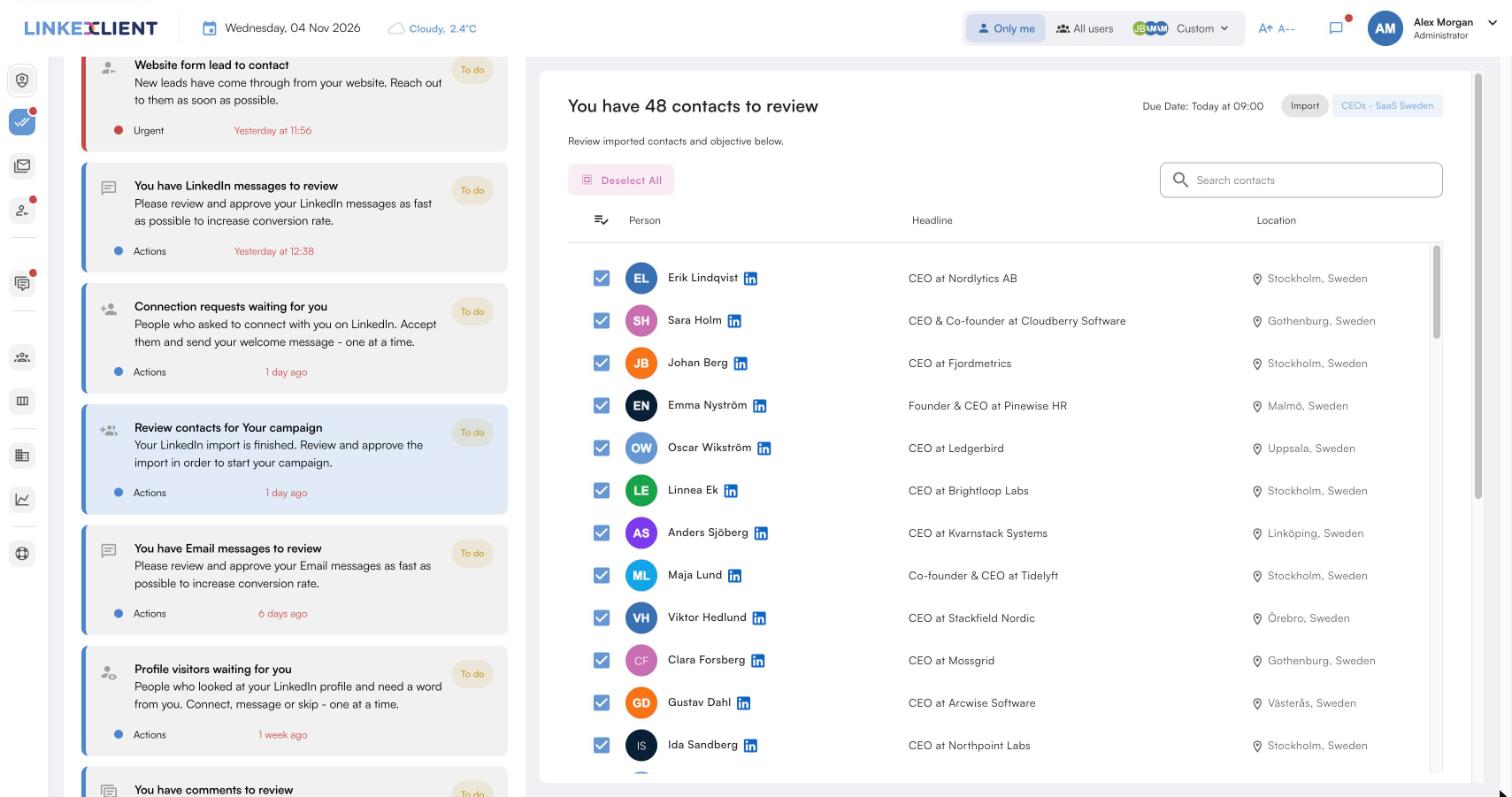
LinkedIn, Sales Navigator, Recruiter or CSV
Import a saved search or lead list, or upload your own spreadsheet.
Or just describe them
Write who you want to reach and Elsie finds people who match.
Email and phone found
Elsie fills in LinkedIn, email and phone details and keeps them up to date.
Check before you start
Review imported contacts and remove anyone who doesn’t fit before the campaign starts.
| LinkedClient | At a glance |
|---|---|
| What it is | An AI sales assistant. Elsie finds leads, writes to them on LinkedIn and email, answers replies and books meetings. |
| Free trial | 14 days, no card needed. Then $79 for your first month. |
| Price after that | Starter $149 per user per month, or $129 billed annually. Professional (2+ users) $299, or $249 billed annually. All 109 features in every plan. |
| Works on | LinkedIn Basic, Premium, Sales Navigator and Recruiter |
| Meetings | Booked in the conversation, without calendar links, in Google or Microsoft calendars |
| Connects to | HubSpot, Pipedrive, Salesforce, Zapier, webhooks and a public API |
| Compliance | GDPR and EU AI Act compliant |
| Setup | Live in about 15 minutes, with onboarding from a real person |
Your lead list, built and contacted
Try it free for 14 days, no card needed, then just $79 for your first month. Or book a 30-minute demo and we’ll show you who Elsie would contact for your business.
What results do LinkedClient customers get?
These results cover all of LinkedClient. Building lead lists is one part of it.
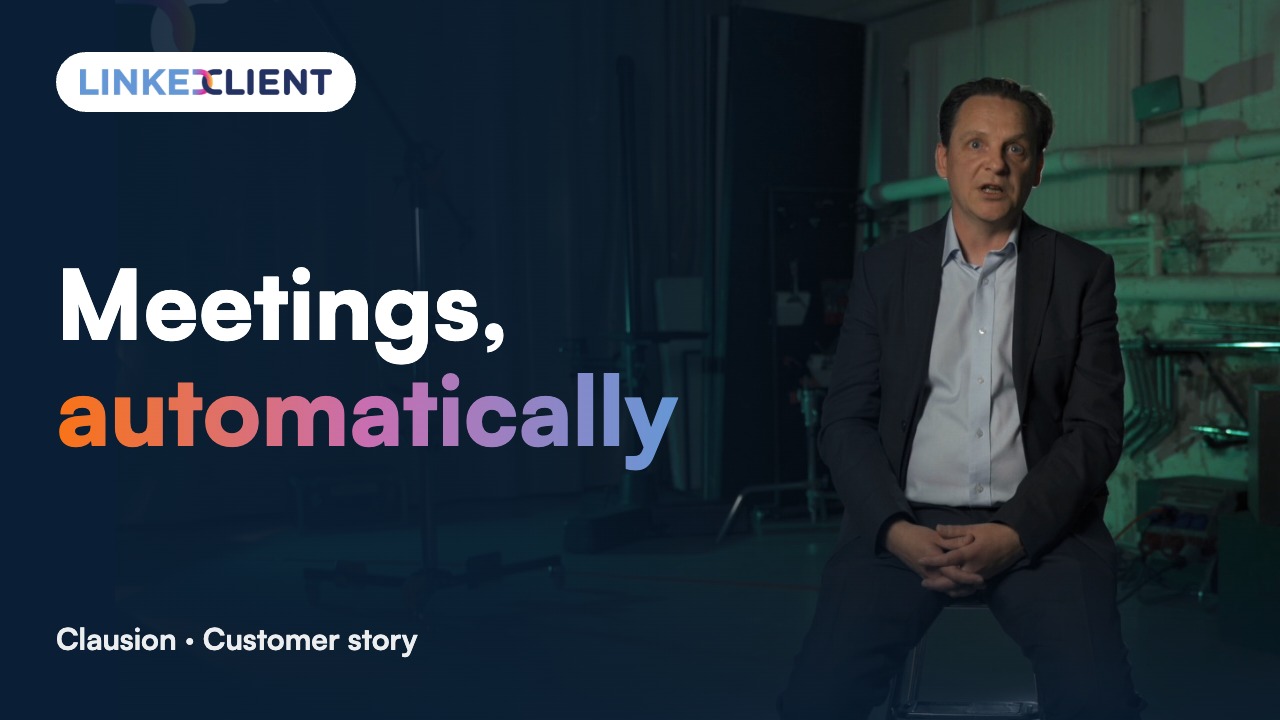
“We can pinpoint the people we want to contact and actually get meetings with them automatically.”
Keep reading
What is a B2B lead list?
A list of companies and people who fit your ideal customer, with the details you need to contact them, such as job title, LinkedIn profile and work email.
How do I build a lead list for free?
Use LinkedIn’s free search to find people by title, company and location, and keep the list in a spreadsheet. Free search has limits, and Sales Navigator adds more filters.
Where can I find B2B leads?
LinkedIn and Sales Navigator, B2B databases, your own website visitors and CRM, event attendee lists and referrals from customers.
Is it legal to buy a B2B email list?
It can be, but you’re responsible for how you use it. In the EU you need a lawful basis, must tell people where you got their data and must honour opt-outs. Some countries restrict marketing email further.
How big should a lead list be?
Big enough for a few weeks of outreach, small enough that everyone on it truly fits. For a small team, a few hundred well-chosen contacts per segment is plenty to start.
How often should I update my lead list?
Check job titles and remove bounces and opt-outs before every campaign. Tools with continuous enrichment keep details current between campaigns.
Is there a free B2B lead list template?
Use the fields in the table above as spreadsheet columns: name, job title, company, industry, size, LinkedIn URL, work email, phone, location, signal, source and date.
How does LinkedClient build lead lists?
Describe who you want to reach or import a LinkedIn, Sales Navigator or Recruiter search or a CSV. Elsie finds and enriches the contacts, you review them, and she starts the outreach. Try it free for 14 days, then pay $79 for your first month.
Want a lead list that turns into meetings?
Start your free 14-day trial today and Elsie can start this week. If you keep going, your first month is just $79. Or book a 30-minute demo and we’ll show you who she would contact for your business.
14 days free · No card needed · $79 for your first month