How to build a sales pipeline: stages, numbers and a weekly routine
A sales pipeline shows every potential deal and where it stands, from first contact to signed contract. Here is how to set up the stages, how to work out how many leads you need, and a weekly routine to keep the pipeline full and moving.
To build a sales pipeline, define the stages a deal goes through, for example prospecting, contacted, interested, meeting booked, proposal, and won or lost. Then work backwards from your revenue goal to the number of meetings and leads you need, and fill the top of the pipeline with outreach every week. Review the pipeline weekly, give every deal a clear next step and remove deals that have gone quiet. LinkedClient builds and updates the top of the pipeline for you: Elsie contacts leads, moves each one through 12 pipeline stages as the conversation goes and books the meetings. You can try it free for 14 days, no card needed, and your first month after the trial is $79.
Key takeaways
- Stages should match how your buyers decide.
- Work backwards from revenue to leads.
- Fill the top every week, not when it runs dry.
- Every deal needs a next step and a date.
- Remove deals that have gone quiet.
What stages should a B2B sales pipeline have?
| Stage | What it means | Move on when |
|---|---|---|
| Prospecting | A lead that fits your ideal customer | You’ve contacted them |
| Contacted | You’ve sent a first message | They reply |
| Interested | They want to know more | A meeting is booked |
| Meeting booked | A first call is in the calendar | The meeting has been held |
| Proposal | You’ve sent pricing or a proposal | They agree terms |
| Won or lost | A decision has been made | Record the reason |
Keep it simple: each stage should be defined by something the buyer did, not by how hopeful you feel. LinkedClient’s built-in CRM has 12 pipeline stages, and Elsie moves each lead as the conversation goes.
To decide what enters the pipeline, see lead qualification. To measure it, see B2B sales metrics.
How many leads do you need in your pipeline?
Work backwards from your goal. For example, say you want 4 new customers a month:
- If 1 in 4 first meetings becomes a customer, you need 16 meetings a month.
- If 5% of the people you contact book a meeting, you need to contact 320 people a month.
- That’s about 15 new people every working day.
How do you keep a sales pipeline moving?
Add new leads every week
A pipeline you only fill when it’s empty means months with no deals.
Follow up every open conversation
Most stalled deals just need a nudge with something useful.
Give every deal a next step
A date and an action, agreed with the buyer.
Review the pipeline weekly
Thirty minutes, the same time each week, stage by stage.
Remove stale deals
If there’s no reply after several follow-ups, mark it lost and move on.
Check conversion between stages
Find the stage where most deals stop, and fix that first.
What are common sales pipeline mistakes?
A CRM that updates itself solves the last one. Here is how an AI CRM works.
- Too many stages. If nobody knows the difference between two stages, merge them.
- Deals without next steps. A deal with no agreed next step is a hope, not a deal.
- Filling the pipeline only when it’s empty. Results arrive weeks or months later.
- Optimistic deal values. Use what the buyer has said, not what you hope.
- A CRM nobody updates. Automate updates, or the pipeline stops telling the truth.
How does LinkedClient build your pipeline?
An empty top of the pipeline today means an empty quarter later. LinkedClient fills it every week: Elsie starts new conversations on LinkedIn and email, moves each lead through 12 stages as they reply and books the meetings, so your pipeline stays full and up to date.
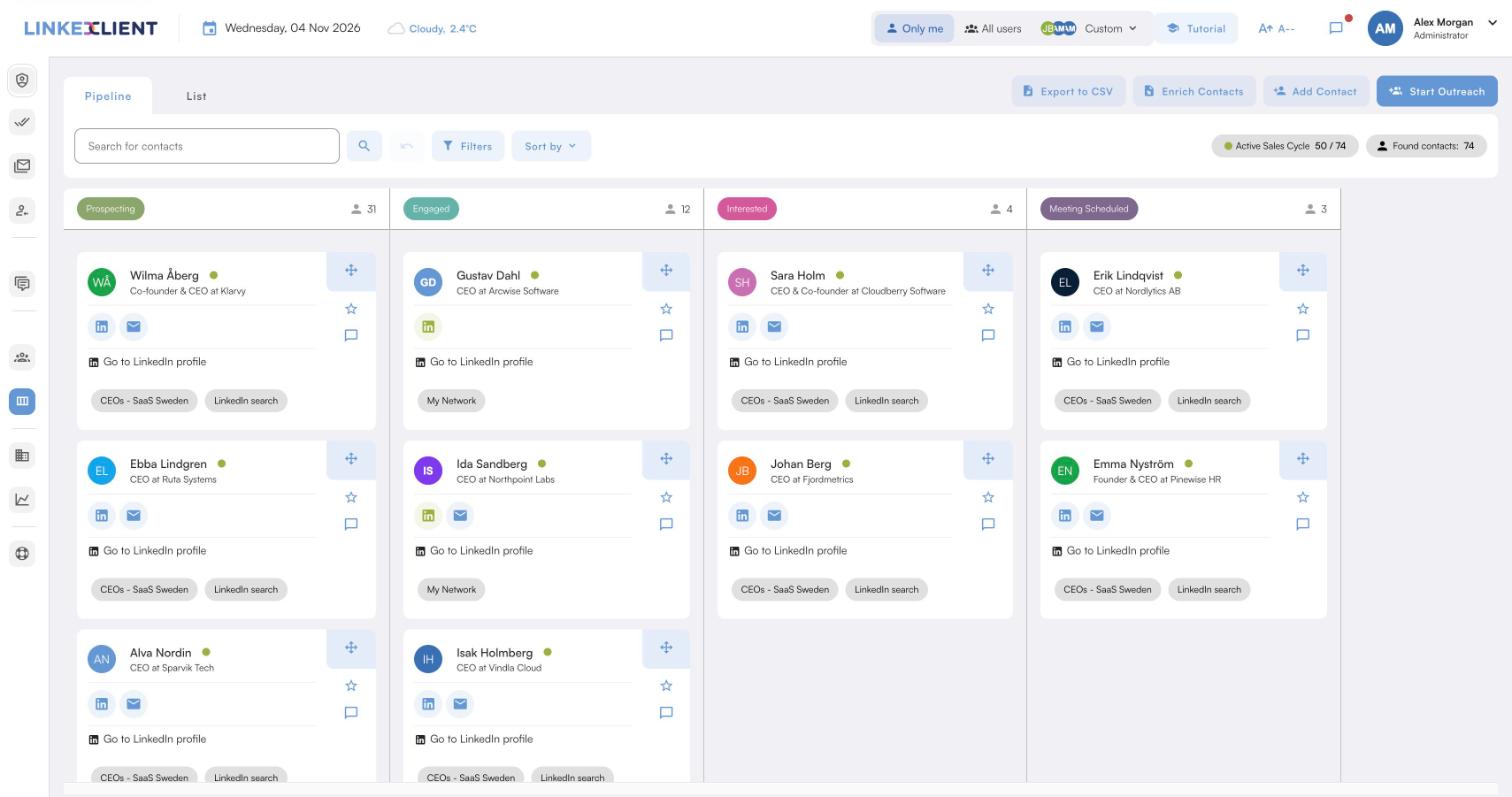
Leads added for you
Elsie finds people who match your description and starts the conversation.
12 stages, updated by Elsie
Each lead moves as the conversation goes, with a note on why.
Pipeline value
Statistics show meetings scheduled and pipeline value.
Works with your CRM
Connect HubSpot, Pipedrive or Salesforce, or use the built-in CRM.
| LinkedClient | At a glance |
|---|---|
| What it is | An AI sales assistant. Elsie finds leads, writes to them on LinkedIn and email, answers replies and books meetings. |
| Free trial | 14 days, no card needed. Then $79 for your first month. |
| Price after that | Starter $149 per user per month, or $129 billed annually. Professional (2+ users) $299, or $249 billed annually. All 109 features in every plan. |
| Works on | LinkedIn Basic, Premium, Sales Navigator and Recruiter |
| Meetings | Booked in the conversation, without calendar links, in Google or Microsoft calendars |
| Connects to | HubSpot, Pipedrive, Salesforce, Zapier, webhooks and a public API |
| Compliance | GDPR and EU AI Act compliant |
| Setup | Live in about 15 minutes, with onboarding from a real person |
A pipeline that fills itself
Try it free for 14 days, no card needed, then just $79 for your first month. Or book a 30-minute demo and we’ll show you who Elsie would contact for your business.
What results do LinkedClient customers get?
These results cover all of LinkedClient. Filling the pipeline is one part of it.
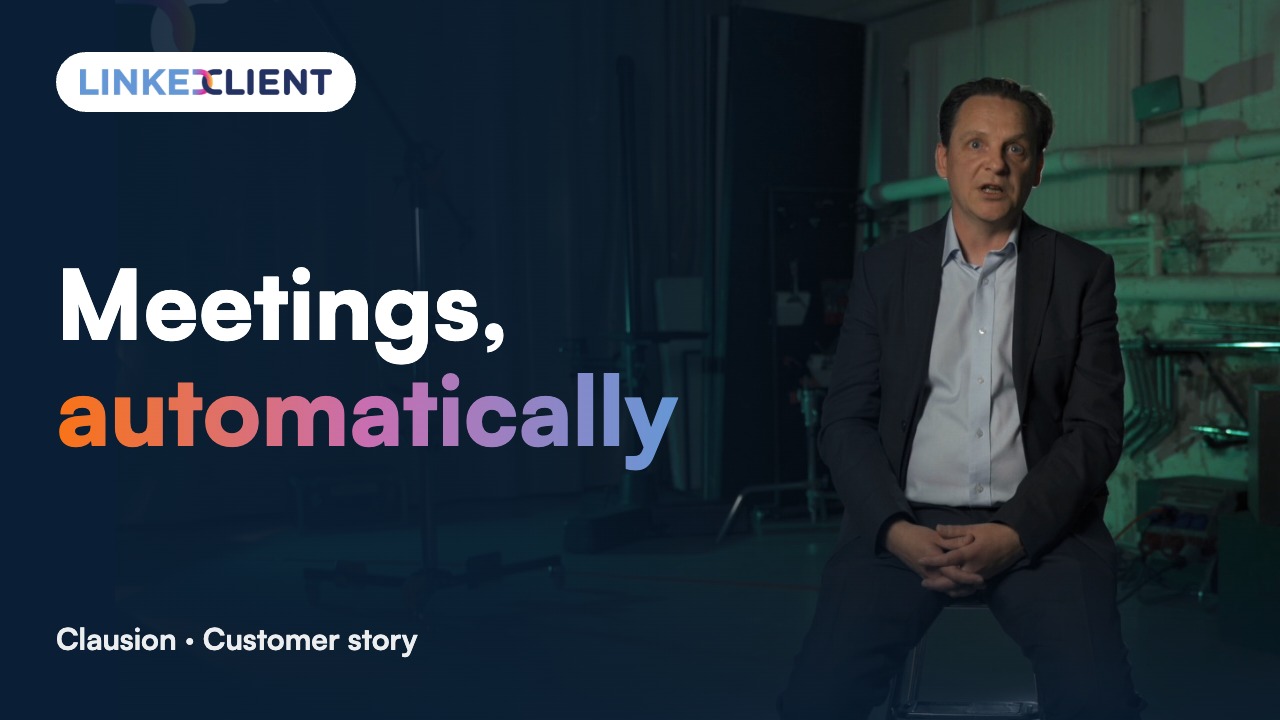
“We can pinpoint the people we want to contact and actually get meetings with them automatically.”
Keep reading
Questions about building a sales pipeline
Can’t find your answer? Ask a real person.
Book a 30-min demoWhat is a sales pipeline?
A view of every potential deal and the stage it’s at, from first contact to signed contract, so you can see what’s coming and where deals get stuck.
What are the stages of a sales pipeline?
A common B2B set is prospecting, contacted, interested, meeting booked, proposal, and won or lost. Define each stage by something the buyer did.
What is pipeline generation?
The work of adding new potential deals to the top of the pipeline, mostly through prospecting, outbound outreach and inbound marketing.
How do you calculate how many leads you need?
Start from the number of new customers you want, divide by your meeting-to-customer rate to get meetings, then divide by your contact-to-meeting rate to get the number of people to contact.
What is the difference between a sales pipeline and a sales funnel?
The pipeline shows deals and the seller’s steps. The funnel shows how many prospects drop off at each stage. They describe the same process from different angles.
How often should you review your pipeline?
Weekly, for about 30 minutes, plus a deeper look at conversion rates every month.
How do you increase your sales pipeline?
Contact more people who fit your ideal customer every week, follow up warm signals like profile visits and replies, and ask customers for referrals. Steady weekly outreach beats occasional bursts.
What is sales pipeline management?
Keeping deals moving: a clear next step for every deal, a weekly review, removing stale deals and checking conversion between stages.
What is the best sales pipeline software?
A CRM your team actually keeps up to date. LinkedClient’s built-in CRM updates itself as Elsie’s conversations develop, and it connects to HubSpot, Pipedrive and Salesforce.
How does LinkedClient help build a pipeline?
Elsie fills the top of the pipeline with leads who match, contacts them on LinkedIn and email, moves each one through 12 stages as conversations develop and books the meetings. Try it free for 14 days, then pay $79 for your first month.
Want a pipeline that fills itself every week?
Start your free 14-day trial today and Elsie can start this week. If you keep going, your first month is just $79. Or book a 30-minute demo and we’ll show you who she would contact for your business.
14 days free · No card needed · $79 for your first month